Case study
Building a PDF Editor That Never Uploads Your Files
How FreePDF.lol merges, compresses, and redacts PDFs inside the browser: what stays on your device, why rendering differs from editing, and where memory runs out.

Pranav Gawande
Updated
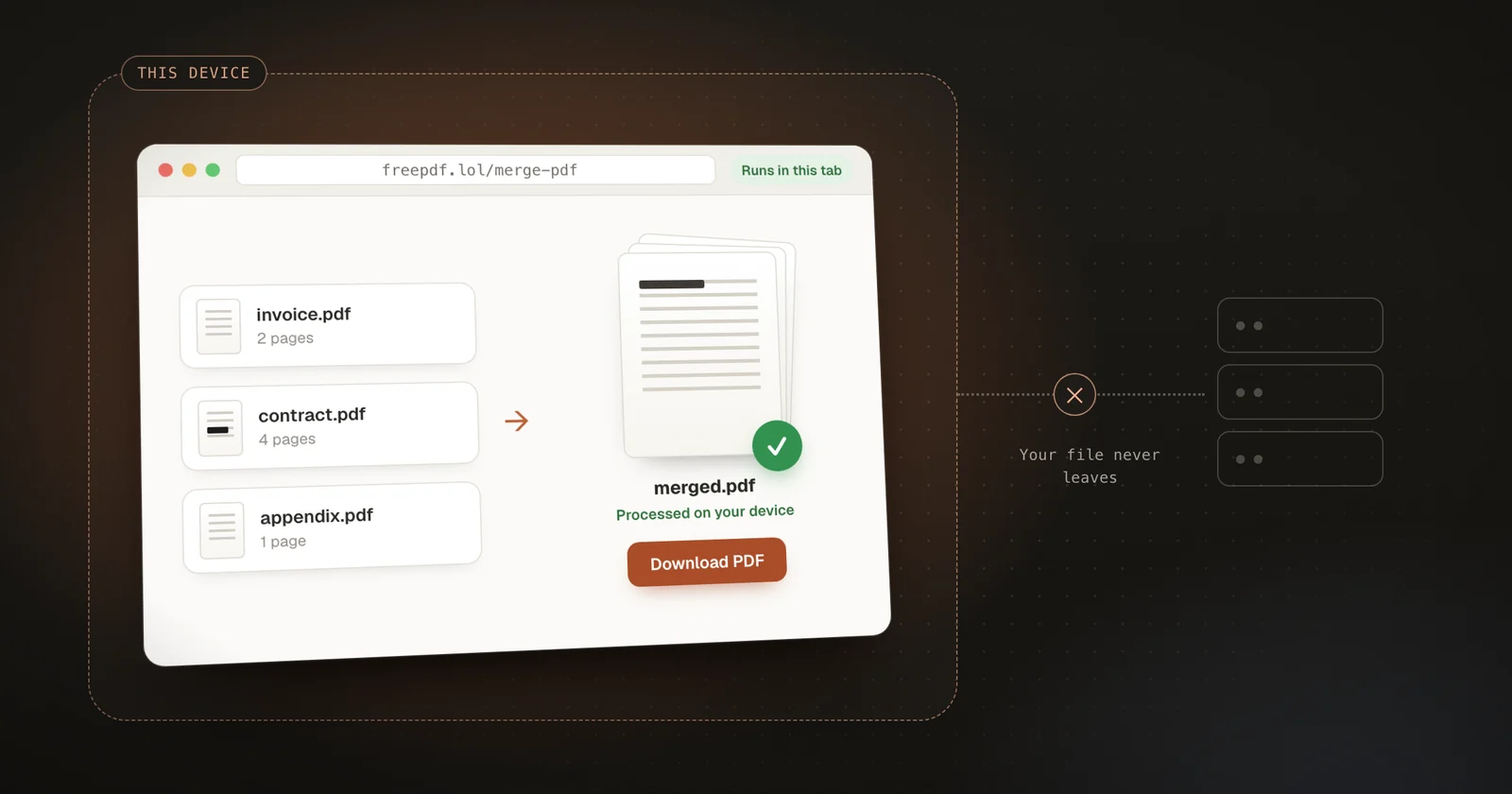
A PDF merger is one of the smallest tools on the internet. You pick two files, press a button, and get one file back. On most websites, though, that button quietly does something much bigger: it uploads your documents to someone else's computer.
For a concert ticket, that's fine. For a signed contract, a bank statement, or a passport scan, it's a strange trade. You needed two files joined together, and in exchange you handed copies of both to a server you can't inspect, to be kept for however long its operator decides.
I built FreePDF.lol around a different rule: the document never leaves the browser tab. Merging, splitting, compressing, signing, redacting, and the other tools all run on the device that already has the file. The project is open source, so everything in this article can be checked against the real implementation, and the code below comes straight from it.
This is a walk through how that works: what "in the browser" actually means, why showing a PDF and editing one are different jobs, why memory becomes the main engineering problem, and what still crosses the network.
What browser-based PDF processing means
Browser-based PDF processing means the code that edits the document runs on your own device, inside the web page. The server's only job is to deliver that code. When you choose a file, the page reads it from your disk into memory, transforms it with JavaScript and WebAssembly, and hands you the result as a download. The document's bytes never travel to a server.
The difference is easiest to see side by side.
Upload-based tool
- Your deviceYou choose a file
- ServerThe file is uploadedA copy now exists outside your device
- ServerThe server processes it
- Your deviceYou download the result
- ServerThe server deletes its copyAt some point you can't verify
In-browser tool
- Server → deviceThe page downloads its codeCode travels to you, not documents from you
- Your deviceYou choose a file
- Your deviceThe tab processes itJavaScript and WebAssembly, in memory
- Your deviceYou save the result
Document bytes sent to a server: none
In the upload model, your file makes a round trip, and the most sensitive part of that trip is the part you can't see: what happens to the server's copy afterwards. Many services promise to delete files after an hour or a day. That may well be true. You just have no way to check.
In the browser model, there is no copy to delete because no copy was made. The cost is that your device now does all the work, and that's where most of the interesting engineering lives.
The wording of the promise matters. A website still has to download its own code, so "nothing goes over the network" would be false. The accurate version is narrower: the network brings code to you, and it never carries your document away. That claim is also easy to test. Open your browser's developer tools, switch to the Network tab, and merge two files. You'll see the page load scripts, and you won't find a single request whose body contains your PDF.
Following one merge from file picker to download
Here's what happens when you merge three PDFs on FreePDF.
Page
Choose files
<input type="file">In memoryFile references only. Nothing has been read yet.
Page → worker
Hand the files to a worker
worker.postMessage({ files })In memoryStill references. The page stays responsive.
Worker
Check each header
file.slice(0, 1024).text()In memory1 KB per file. Anything that isn't a PDF stops here.
Worker
Read, parse, copy pages
arrayBuffer() → PDFDocument.load() → copyPages()In memoryInput bytes, parsed objects, and the growing merged document.
Worker → page
Save and transfer back
save() → postMessage(…, { transfer })In memoryOutput bytes move to the page without a copy. The worker is terminated.
Page
Store and download
IndexedDB → blob: URL → <a download>In memoryKept under Recent files. The temporary URL is revoked after 10 seconds.
When you pick files, the browser gives the page File objects. A File is a reference to data on your disk, not the data itself, so selecting a 200 MB scan costs almost nothing. The File API only reads bytes when code asks for them.
The page passes those references to a Web Worker, a background thread with its own event loop. Everything heavy happens there, so a large merge doesn't freeze scrolling or buttons.
The first thing the worker reads from each file is a tiny slice. Every PDF begins with a %PDF- header, so the first kilobyte is enough to reject a renamed JPEG before anything large is loaded. Here's the check from document.ts:
ts
export async function readPdfBytes(file: Blob): Promise<Uint8Array> {
  if (!file.size) throw new Error("This file is empty. Choose a PDF with content.");
  const header = await file.slice(0, 1024).text();
  if (!header.includes("%PDF-")) throw new Error("This file is not a PDF. Choose a valid PDF document.");
  return new Uint8Array(await file.arrayBuffer());
}
Only after that check does the whole file come into memory, through arrayBuffer().
The merge itself uses pdf-lib. Here is FreePDF's merge.ts, simplified by removing its progress reporting:
ts
const { PDFDocument } = await import("pdf-lib");
const mergedPdf = await PDFDocument.create();

for (const file of files) {
  const pdf = await loadPdf(file);
  const pages = await mergedPdf.copyPages(pdf, pdf.getPageIndices());
  pages.forEach((page) => mergedPdf.addPage(page));
}

return mergedPdf.save(); // a Uint8Array containing the new PDF
When the worker finishes, it sends the result back to the page:
ts
self.postMessage({ type: "done", bytes }, { transfer: [bytes.buffer as ArrayBuffer] });That transfer option is doing real work. By default, postMessage copies its data, so a 150 MB result would briefly exist twice. A transfer moves ownership of the memory to the page instead of copying it. The worker's buffer becomes empty and unusable, which doesn't matter, because FreePDF terminates the worker as soon as the result arrives.
Finally, the page saves the merged file to the browser's own storage and shows it ready to download. Pressing Download wraps the bytes in a temporary blob: URL attached to a link with a download attribute. FreePDF revokes that URL ten seconds later so the browser can release it.
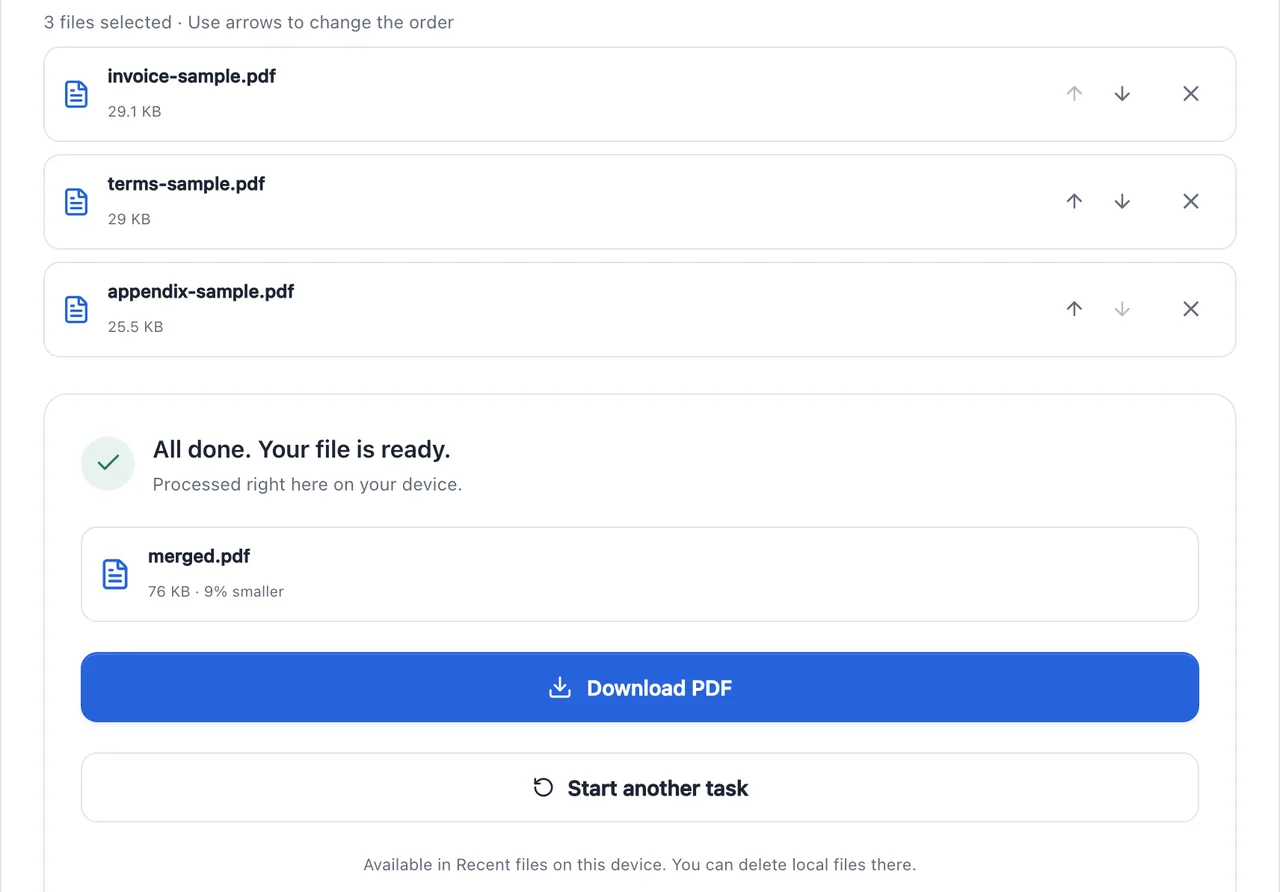
The "Recent files" note in that screenshot is a design decision worth pausing on, because local doesn't automatically mean temporary. FreePDF keeps recent results in IndexedDB, the browser's built-in database, so you can download them again or send them to another tool without choosing the file again. Those files never leave your device, but they do stay on it. FreePDF limits that with a session rule in storage.ts: if more than an hour has passed since you last used the site, it clears all stored files before reading or writing anything new. The Recent files panel lets you delete them sooner. A privacy-first tool still has to decide how long local data should live, and say so.
Showing a PDF and editing a PDF are different jobs
It's natural to think of a PDF as a picture of a page. It isn't. A PDF is a structured file. Each page has a content stream, a list of drawing instructions such as "use this font and place these characters here", and the file also holds fonts, images, links, form fields, annotations, and metadata. That structure is why you can select text in a PDF, and why a 40-page text document can be smaller than a single photo.
So there are two very different ways to work with one.
Rendering turns those instructions into pixels. FreePDF uses PDF.js, Mozilla's PDF renderer and the engine behind Firefox's built-in PDF viewer, for page thumbnails and previews. Rendering is how you see a document.
Modifying works on the structure itself. pdf-lib copies pages between documents, rotates them, removes them, and fills in form fields, and the text stays text. Merging this way keeps what matters about each page: selectable text, sharp vector graphics, and a small file size.
There's a third option that looks tempting: render each page to an image and wrap the images in a new PDF. The output looks identical, but the text is gone. Search stops working, screen readers have nothing to read, and the file usually gets bigger. Which approach you choose isn't an implementation detail. It decides what the user gets back.
FreePDF's compressor shows the difference. By default it only performs a lossless rewrite, which repacks the document's internal objects more compactly, and then keeps whichever version is smaller:
ts
const lean = await pdf.save({ useObjectStreams: true });
const original = new Uint8Array(buffer);
const lossless = lean.length < original.length ? lean : original;
if (!allowRasterize) return lossless;
Turning pages into JPEG images can shrink a scanned document dramatically, but it destroys the text, so it only happens when you tick a checkbox that explains the trade. Even then, the code keeps the lossless version if the image version turns out larger.
When destroying the structure is the point
Redaction is the opposite case, and it's where the difference between rendering and editing matters most.
If you draw a black rectangle over an account number with a PDF editing library, the rectangle is just a new drawing instruction placed on top. The original characters are still in the page's content stream underneath. Anyone can select them, copy them, or pull them out with a text extraction tool. Published legal and government documents have leaked information in exactly this way.
A black box drawn on top
Text a tool can still extract
Account 0000 1234 5678
The box is a new drawing placed over the page. The original characters are still in the file underneath it.
Rebuilt from pixels (FreePDF)
Text a tool can still extract
(nothing)
The page becomes an image with black pixels painted in. Nothing from the original page structure is copied.
FreePDF's redaction rebuilds every page from pixels instead. It renders the page to a canvas with PDF.js, paints solid black over each selected area, and places the resulting image into a brand-new PDF. A comment in redact.ts states the guarantee: no source text, annotations, attachments, metadata, or hidden objects are copied into the exported document. The code even rounds each box outwards to whole pixels, so a fractional edge can't leave half a character visible.
The cost is that a redacted file has no selectable text at all. That's the right trade for redaction and the wrong one for merging. Knowing which job you're doing tells you which tool to reach for.
The user's device becomes your server
Moving work into the browser removes the upload, but the work itself doesn't disappear. It lands on whatever device the person happens to have, which might be a new laptop or a three-year-old phone with twenty tabs open.
Memory is where this shows up first, and file size is a poor guide to it. A canvas stores four bytes per pixel: red, green, blue, and transparency. An A4 page measures 595 × 842 points, so rendering it at twice that size, which is what FreePDF's redaction does to keep text crisp, creates a canvas of 1190 × 1684 pixels. That's about 2 million pixels, or 8 MB, for one page. A compressed 3 MB scan with 40 pages can turn into hundreds of megabytes if every page is decoded and kept around at once.
Browsers also put hard limits on canvas size, and phones are stricter. MDN notes that iOS devices limit a canvas to 4,096 × 4,096 pixels, and that going over the limit doesn't throw an error. The canvas simply stops drawing. A large architectural drawing rendered at high resolution could come out blank, with no explanation.
FreePDF guards against both problems with one small function in render.ts. Before thumbnails, compression, redaction, OCR, or image export render a page, they ask it for a scale that keeps the canvas under 12 million pixels and 8,192 pixels on each side (input validation removed here):
ts
export function boundedScale(width: number, height: number, scale: number, maxPixels = 12_000_000) {
  return Math.min(scale, Math.sqrt(maxPixels / (width * height)), 8192 / width, 8192 / height);
}
That caps any single canvas at about 48 MB of pixel data, whatever page size the PDF claims.
The second habit is releasing memory the moment a page is finished. Each thumbnail is rendered, converted to a small JPEG, and then its canvas is shrunk to nothing:
ts
try {
  await page.render({ canvas, viewport }).promise;
  return canvas.toDataURL("image/jpeg", 0.7);
} finally {
  canvas.width = canvas.height = 0;
  page.cleanup();
}
Setting a canvas's width and height to zero lets the browser drop its pixel buffer right away, instead of waiting for garbage collection to notice the element is unused. page.cleanup() asks PDF.js to free that page's decoded resources. The finally block makes both happen even when rendering fails, which is exactly when a leak would otherwise slip through. A small helper called withPdf applies the same rule to whole documents: it always destroys the PDF.js loading task when an operation ends, so even a password error or a corrupt file releases PDF.js's worker.
Workers deserve an honest description, too. They keep the interface responsive by moving computation off the main thread, and transfers avoid extra copies. They don't give you more memory. A merge in a worker uses the same RAM as a merge on the page; it just doesn't freeze the page while it runs. They do make cancellation clean. If you leave the page during a merge, the page aborts the job and FreePDF terminates the worker, and everything the worker was holding is released with it.
What still uses the network
Being precise about the privacy boundary means listing what does cross the network.
freepdf.lolRuns in this tab
Page · main thread
Interface, file picker, progress, split, organize and form filling
pdf-libEdits the structureMerge runs in a Web Worker
PDF.jsRenders pagesThumbnails, redaction and OCR input, kept under 12 MP per canvas
qpdf · WebAssemblyLow-level PDF toolsProtect, unlock, repair
tesseract.jsOCRReads text from scanned pages
IndexedDB
Recent files, cleared after an hour away
Download
Temporary blob: URL, revoked after 10 s
In from the networkApp code, PDF.js worker, qpdf.wasm, OCR language data
Out to the networkDocument contents: never
The application itself is downloaded: HTML, JavaScript, styles, and the PDF.js worker script. The Protect, Unlock, and Repair tools use qpdf compiled to WebAssembly, which is loaded from FreePDF's own domain the first time you use one of them. OCR, which reads text from scanned pages, uses tesseract.js. By default, tesseract.js downloads its recognition engine and language data from the jsDelivr CDN on first use. The scanned page is still recognized on your device. What travels is the model, not your document.
Anything that reports on what happened during a session deserves the same scrutiny. An error report that includes a line of extracted text quietly moves document content off the device, even though the file itself never moved. qpdf normally prints diagnostic output, and FreePDF's wrapper silences it on purpose, with a comment explaining why:
ts
const engine = await factory({
  locateFile: (path) => path.endsWith(".wasm") ? "/qpdf/qpdf.wasm" : path,
  // Native diagnostics may include user data. Do not log document contents.
  print: () => {}, printErr: () => {},
});
It's a two-line decision, but details like this decide whether a privacy promise is actually true.
When the browser is the wrong place
Processing documents in the browser isn't the right answer for every job.
It struggles when the input is bigger than the device can comfortably hold, like a 2 GB scan on a phone. It's a poor fit for batch jobs that process thousands of files on a schedule, or for teams that need an audit trail of who changed which document. High-fidelity conversion of Word or PowerPoint files is hard in a browser too, because matching the original layout needs a full office layout engine. That's why server-side converters often run something like LibreOffice behind the scenes. And results can differ slightly between browsers, while a server gives you one environment to test.
In those cases, a server can be the honest choice, as long as it's described honestly: what gets uploaded, where it's stored, and when it's deleted. The mistake isn't using a server. It's using one by default for a task the person's own device could have handled.
Lessons for other browser-based tools
FreePDF works with PDFs, but the same reasoning applies to image editors, spreadsheet converters, audio trimmers, and any tool that takes a personal file and returns a changed one.
Write the privacy boundary as one precise sentence, such as "document contents never leave the device", and then check it in the Network tab rather than trusting it. Choose libraries by the job: rendering to show a file, structural editing to preserve one, and rebuilding from pixels only when you mean to destroy what's underneath. Budget memory per page, not per file. Release canvases, documents, and workers in finally blocks, because failures are where leaks hide. And decide how long local data should live, because "stored on your device" still needs an expiry date.
The browser can handle far more document work than most people expect. The hard part is making "local" mean something specific, and then keeping that promise when files are large, devices are small, and an operation fails halfway through. If that last part interests you, Thinking in Systems, Beyond the Framework looks at the same kinds of failures from the network's side.